 Hueno
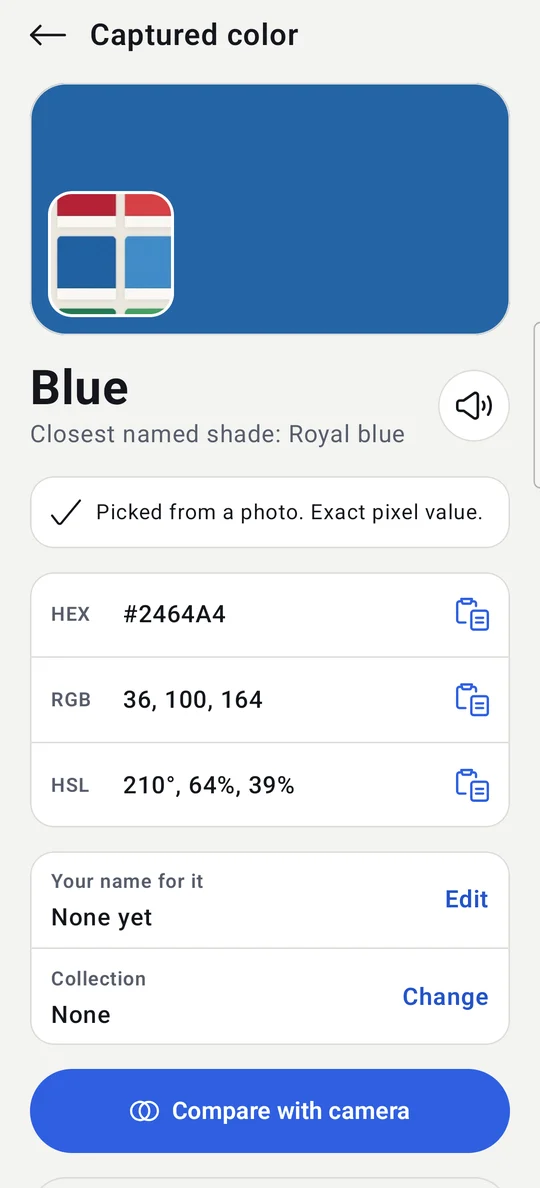
Color names you already know
Simple names first, with light and dark shades. The exact shade name and the hex code sit right underneath. Tap to hear the name read aloud.
Hueno names any color through your camera, in words you already know: "Dark blue", "Light green", "Reddish brown". And it tells you when a reading is shaky.
Coming soon to Google Play for Android 8.0 and newer.
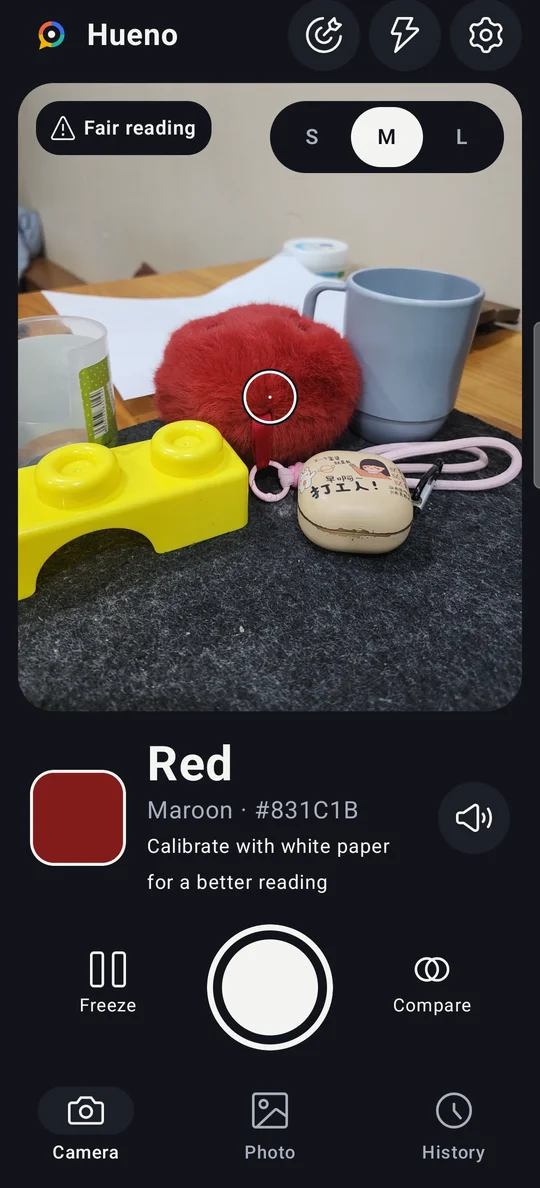
Hueno starts with the color family, then the shade. If you are color blind, you get an answer you can act on: which wire, which shirt, which line on the chart.
Simple names first, with light and dark shades. The exact shade name and the hex code sit right underneath. Tap to hear the name read aloud.
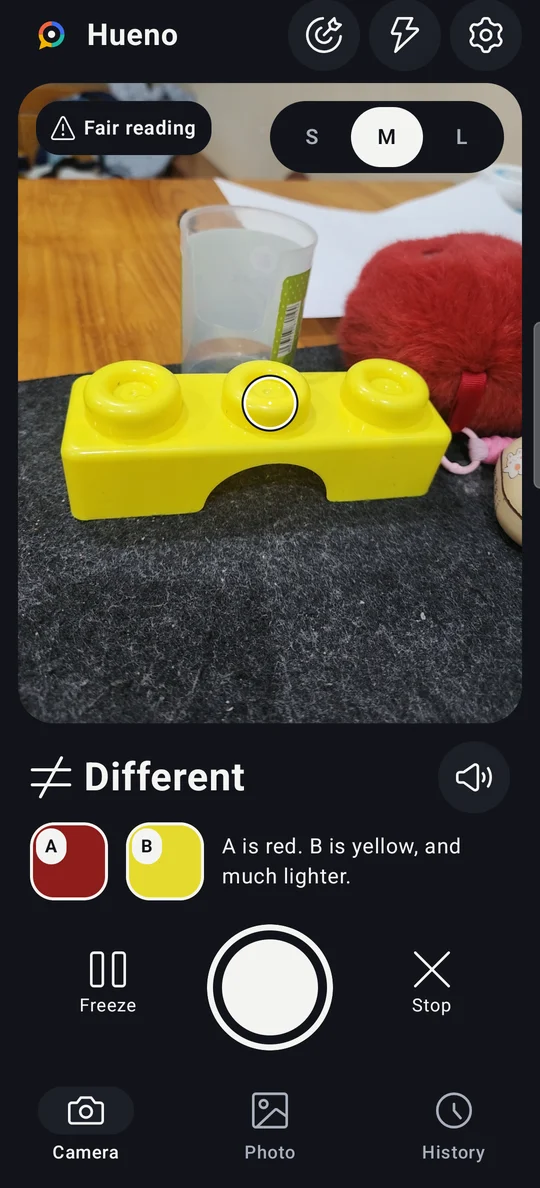
Capture color A, point at color B, and Hueno says Same, Close or Different, and how: "B is yellow, and much lighter."
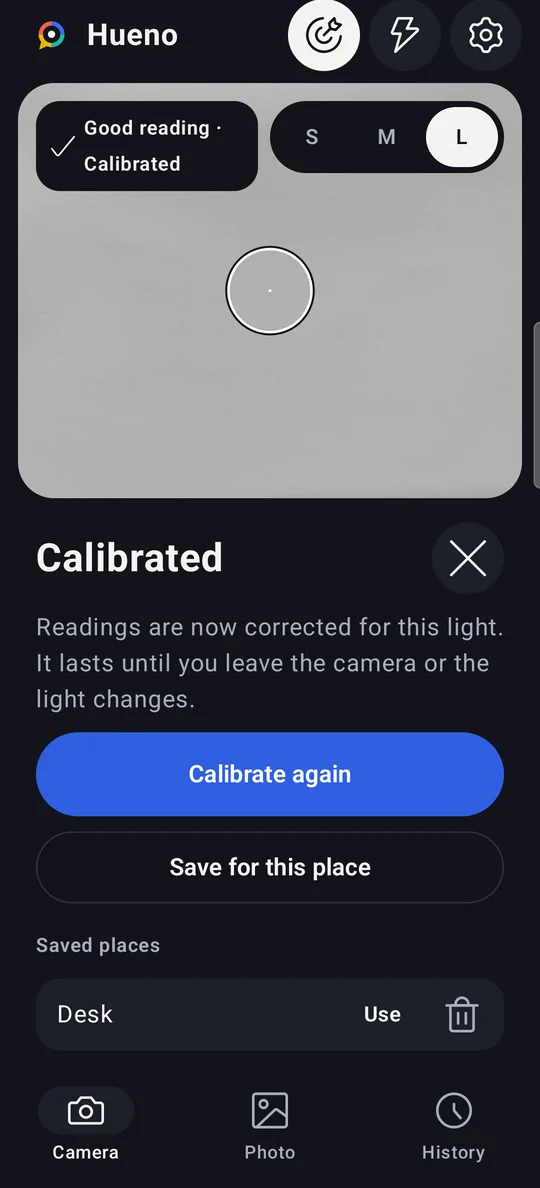
Indoor light shifts colors. Point at a sheet of white paper, tap once, and Hueno corrects for the light you are in. Save it for rooms you use often.
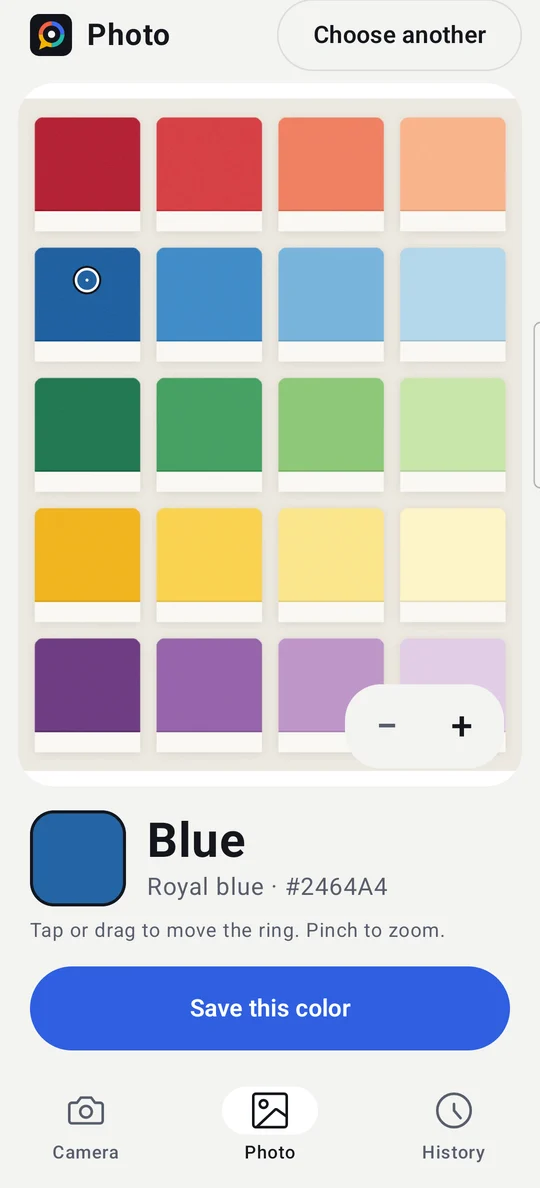
Open a photo or screenshot, tap or drag to read any spot, and zoom in for a single pixel.
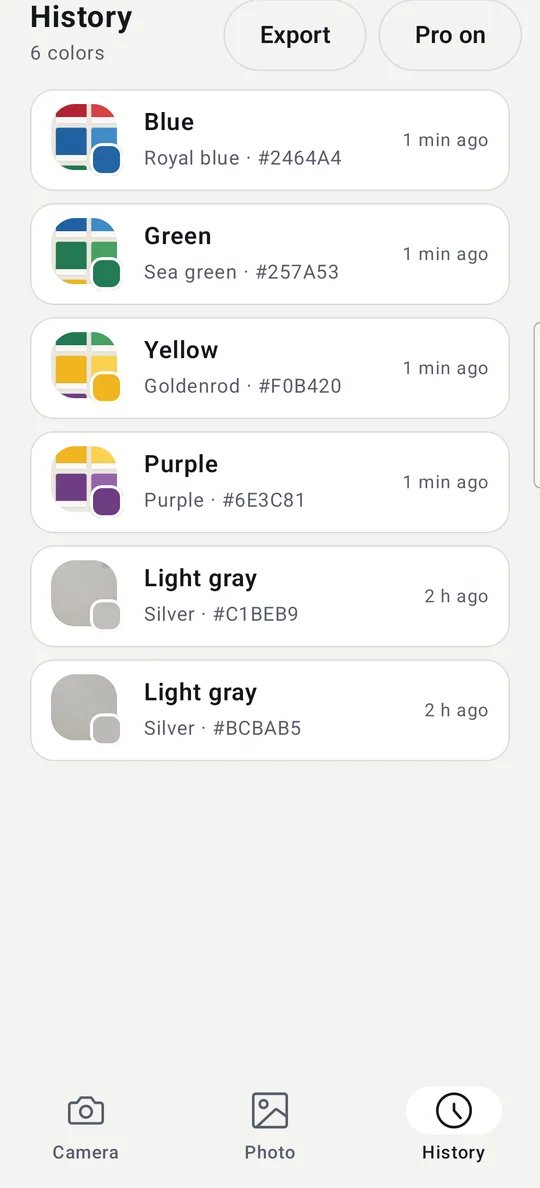
Each capture keeps its name, code and a small picture of the object. Name your colors and group them into collections.
Every reading is rated Good, Fair or Poor, with a tip such as "Too dark, add light". A phone camera is not a lab instrument, and Hueno says so.
No account, no sign-in. Read the full privacy policy.
Anyone who needs to know a color, quickly and in plain words.
Readings depend on your camera and the light. For the most reliable result use daylight or bright white light, and calibrate with white paper first. Hueno shows a confidence rating with every reading. It is a reference tool, not a medical device or a certified color measurement instrument.
Yes. Everything you need to identify colors is free. Hueno Pro is a one-time purchase, with no subscription, that removes ads and the free limits (comparisons per day, history size, saved calibrations, CSV export). You can also watch one short video to use Pro for 6 hours.
No. Identifying colors works offline. The internet is only used for ads and for buying Pro through Google Play.
Android 8.0 or newer with a rear camera. The app is in English.